4 Steps to Change the Display Order of Menu Items on Shopify
Just by some really simple and easy steps, you can change the display order so that your menu items list can look more appearing. After creating a menu item, you can see its display order on the Navigation page. The menu items are displayed in the listed order and sometimes, you might want to change it in order to make your menu items easier for the customers to use.
Today, I will show you How to change the display order of menu items on Desktop, iPhone, and Android.
Step 1: Go to Navigation
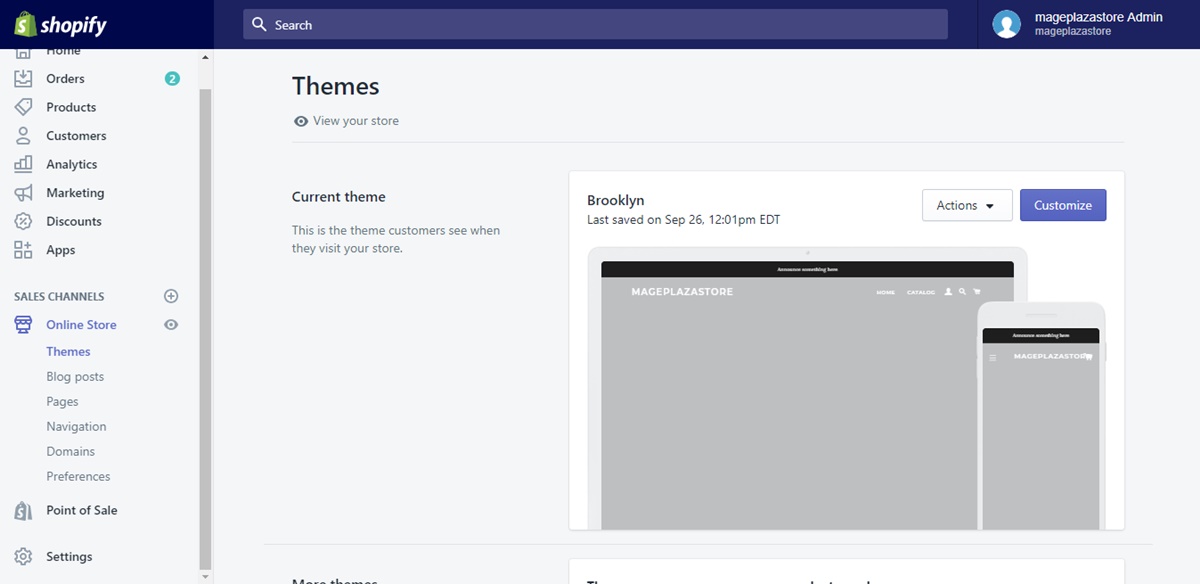
After logging in as the Shopify admin, find the Online Store option in the column on the right side of your page. Click on it to see the list of further options pops up and click to choose Navigation.
Step 2: Choose menu
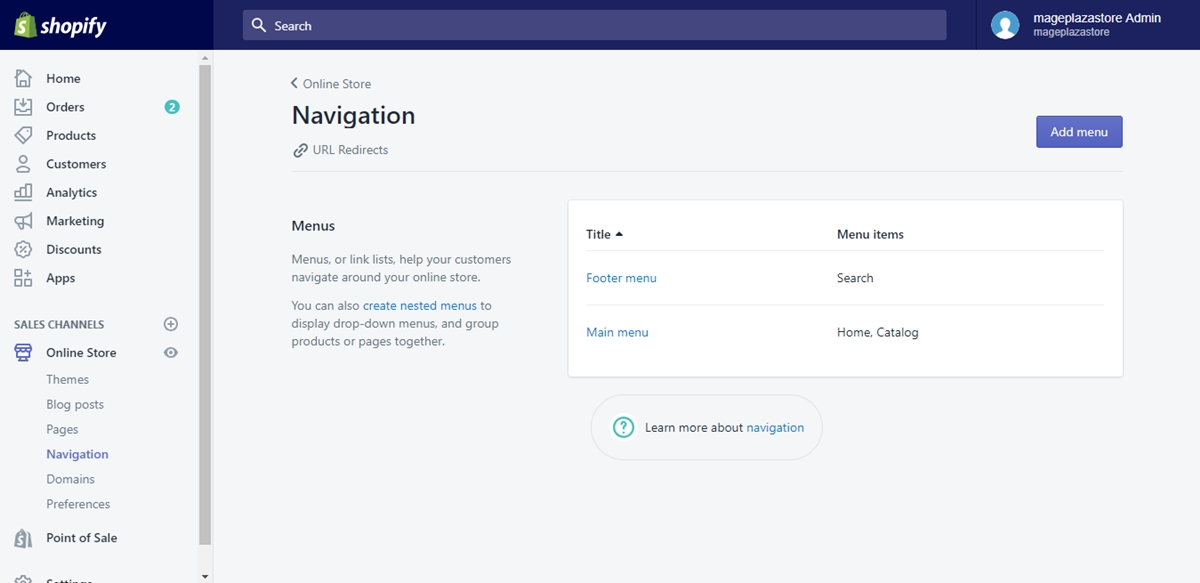
In the Navigation page, you will see the list of the menus that you already created. Choose the menu that you want to change its display order by clicking on its title.
Step 3: Change the display order
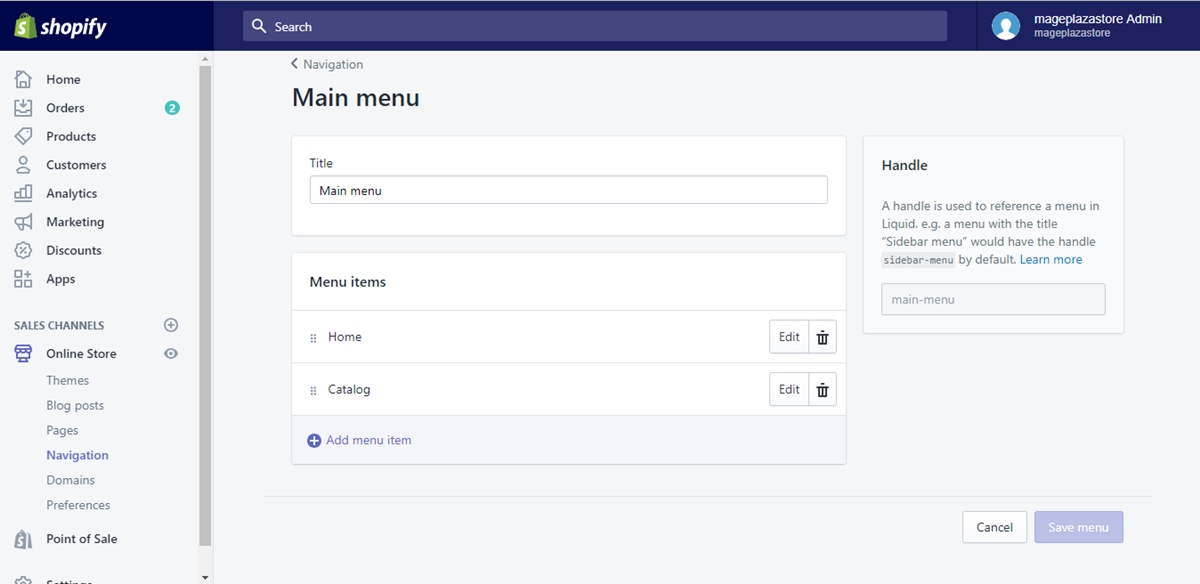
In the menu item’s details page, find the Menu items section which displays the items list. Right next to each menu item’s title, on its left side, you can see a six-dot icon which helps you reorder the menu item. All you have to do is just click on the icon and drag the menu item into the right position that you want.
Step 4: Save menu
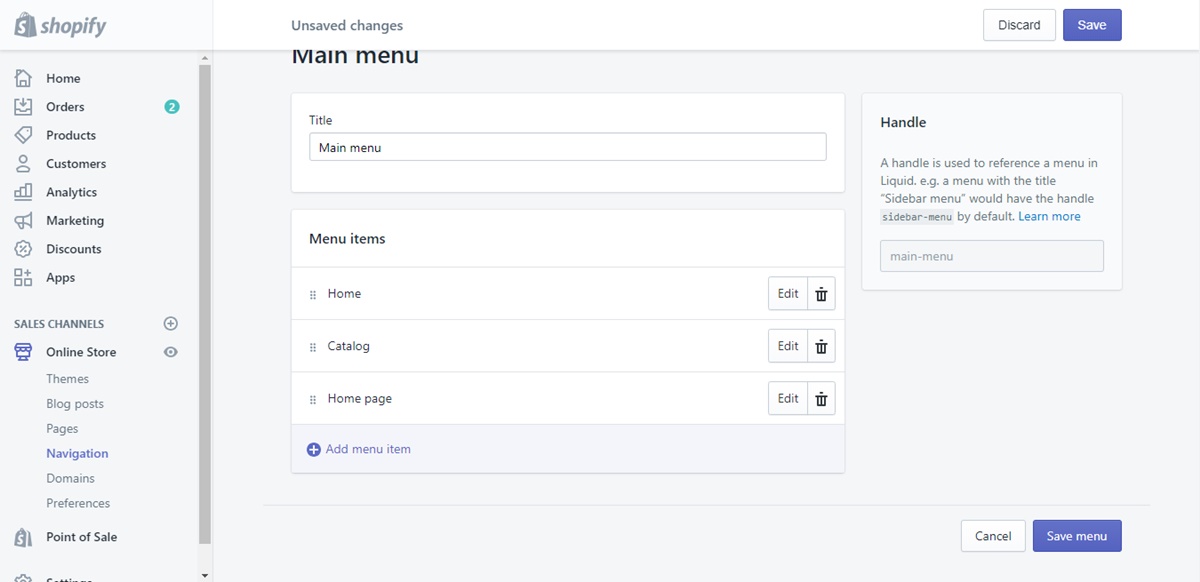
The only work left is clicking on Save menu so that you can confirm your changes. Find the button on the upper right of your page, or in your page’s bottom right.
Conclusion
Above are some steps I prepared for you so that you can How to change the display order of menu items on Shopify. I hope you will have no problem catching up with those simple, easy steps.
About Us

AVADA Commerce Pte. Ltd. is an e-commerce solution provider headquater based in Singapore, Sales and development team in the USA and Vietnam where the best developers unite. Founded in 2014, AVADA is responsible to complete the mission to help 1 million online businesses grow revenues.
🏠 Address:
SIN: 1 Sophia rd, Peace Centre, Singapore, 228149
USA: 651 N Broad St, Suite 206, Middletown, DE 19709
VIE: 125 Tran Phu, Ha Dong, Ha Noi
📱Phone: (+84)24 6687 1163
📩 Email: anhnt@mageplaza.com
🌐 Website: https://avada.io/
#avada #shopify #emailmarketing #affiliate


Nhận xét
Đăng nhận xét