5 Steps to Apply a Template to a Blog on Shopify
In my previous writing, I have introduced you on how to create a new blog template. However, that’s not the end, after creating a new blog template, you can actually apply that blog template to a particular blog post. The result when you apply a template to a blog is that all the post existing in the blog will be shown according to the template that you’ve set. This will aid in customizing your own blog so that you can attract more visitors to your blog as well as differ your blog from others.
Step 1: Select Online Store then Blog Posts
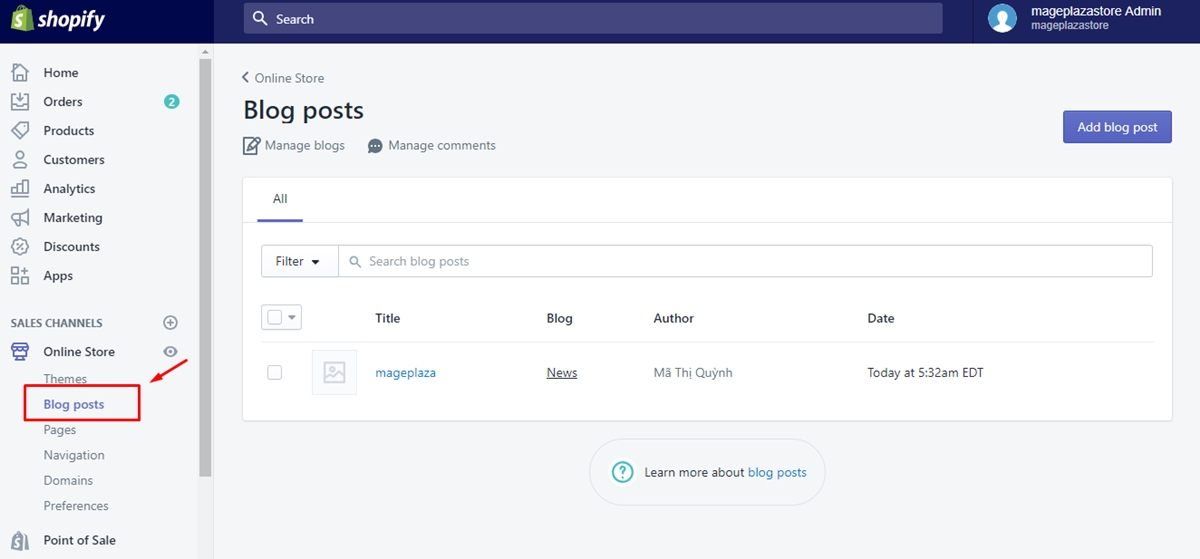
First of all, from your Shopify admin, you go to Online Store, then select Blog Posts heading
Step 2: Select Manage blogs
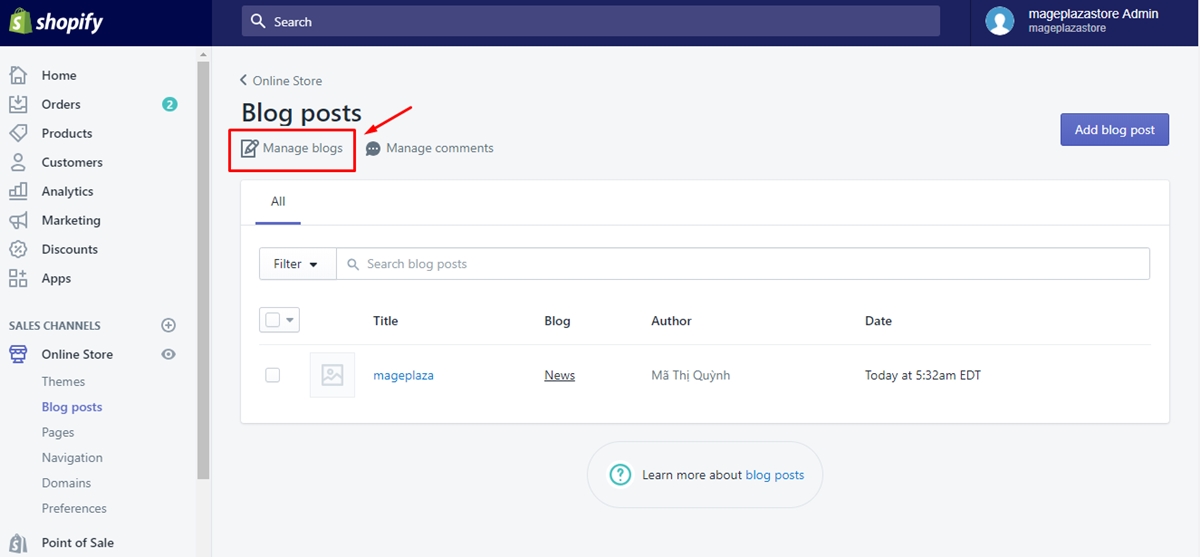
From Blog Posts interface, you click on Manage blogs to continue
Step 3: Click the blog you want to edit
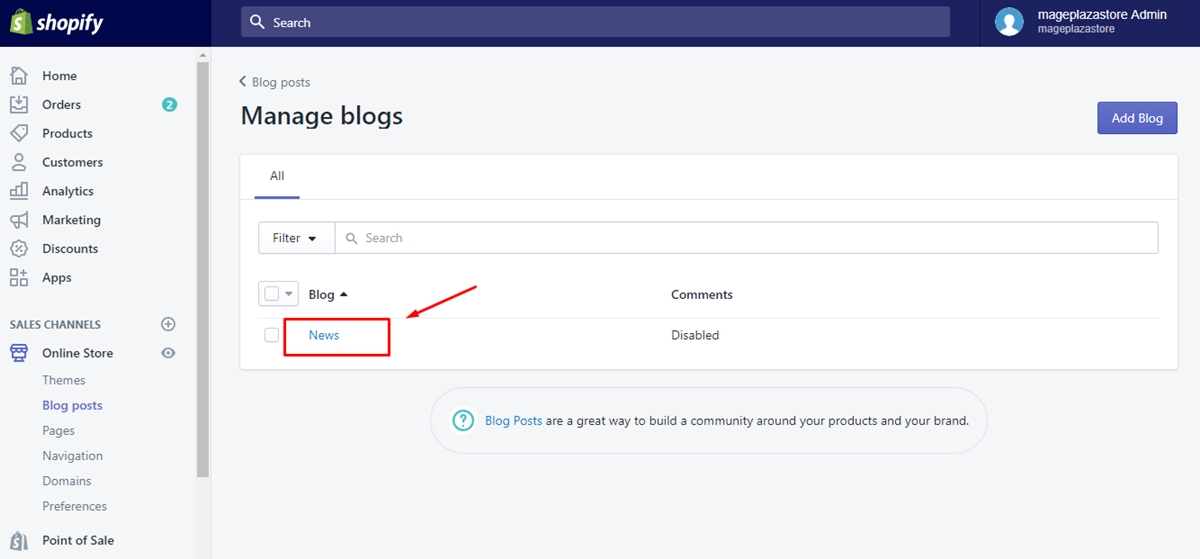
In this step, there will be a list of blog posts that you have created before. Select the blog post that you want to edit then move to the next step.
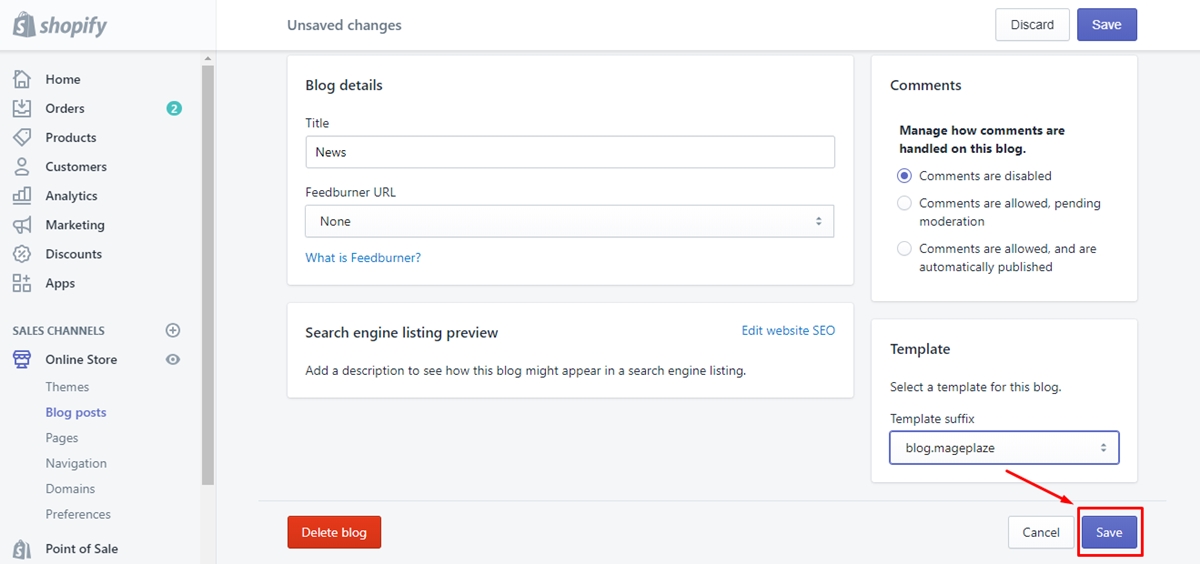
Step 4: Select a template in Template menu
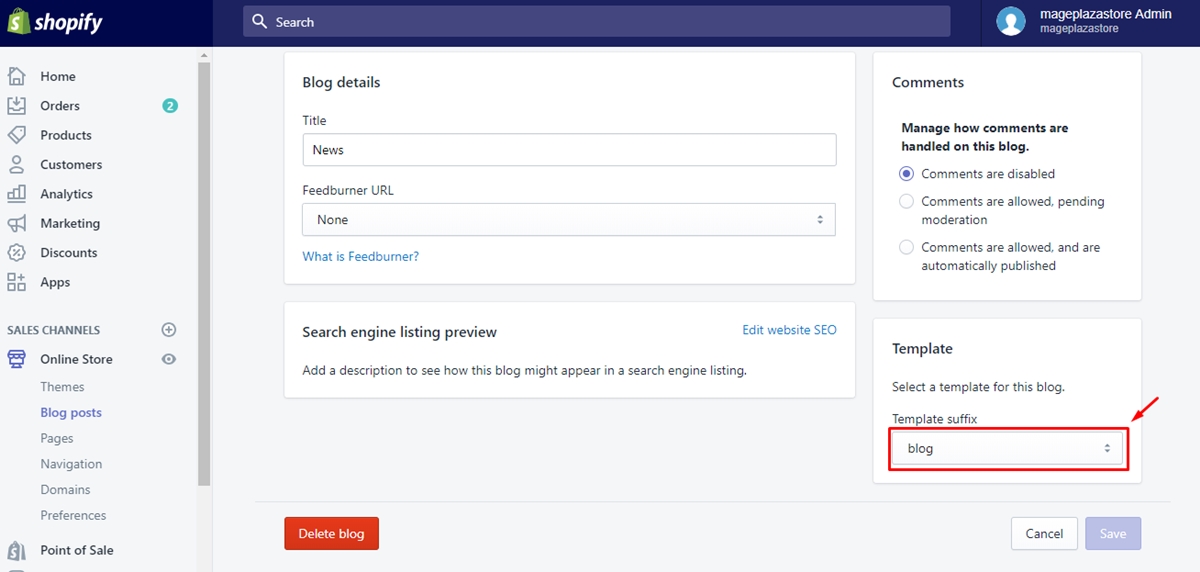
In the interface of a blog post, scroll down and find the drop-down menu named Template. Then select a blog template that you want to apply to the blog post. Remember that the blog templates must have been already created before.
Step 5: Click Save
Finally, to finish applying blog template, you click on Save button.
Conclusion Above is a step-by-step instruction on how to apply a template to a blog, which will give you a hand in customizing and managing your own blog on Shopify with ease. We hope that you will find our writing interesting and useful or at least you have a good reading time. If you want more instruction, check out our posts on selling online.
About Us

AVADA Commerce Pte. Ltd. is an e-commerce solution provider headquater based in Singapore, Sales and development team in the USA and Vietnam where the best developers unite. Founded in 2014, AVADA is responsible to complete the mission to help 1 million online businesses grow revenues.
🏠 Address:
SIN: 1 Sophia rd, Peace Centre, Singapore, 228149
USA: 651 N Broad St, Suite 206, Middletown, DE 19709
VIE: 125 Tran Phu, Ha Dong, Ha Noi
📱Phone: (+84)24 6687 1163
📩 Email: anhnt@mageplaza.com
🌐 Website: https://avada.io/


Nhận xét
Đăng nhận xét