How to Add a Blog on Shopify: A Step-By-Step Guide
Interestingly, you can insert blogs into your online shop, and post all updated information about your products or business to those blogs. Adding a blog to your online shop brand on Shopify is one of the most useful ways to help drive traffic into your site, which supports the increase in your store’ SEO, and customers’ engagement. If you don’t want your blog post to be shown on your Shopify store, you can delete your blog posts as well.
In fact, any stores on Shopify have default blogs named News. There are two options that you can keep this kind of blog or create blogs yourself with the custom name.
In this writing, you will be shown how to add a blog on Shopify on Desktop, iPhone, and Android.
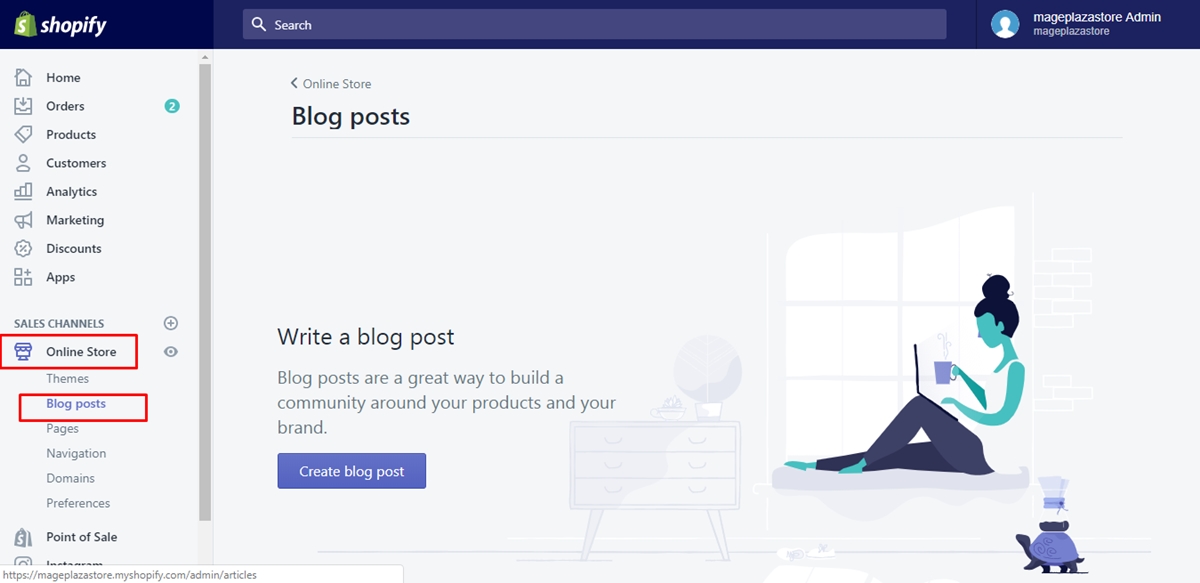
Step 1: Select Blog Posts.
The first thing you need to do is to select Online Store > Blog Posts after logging into your Shopify admin.
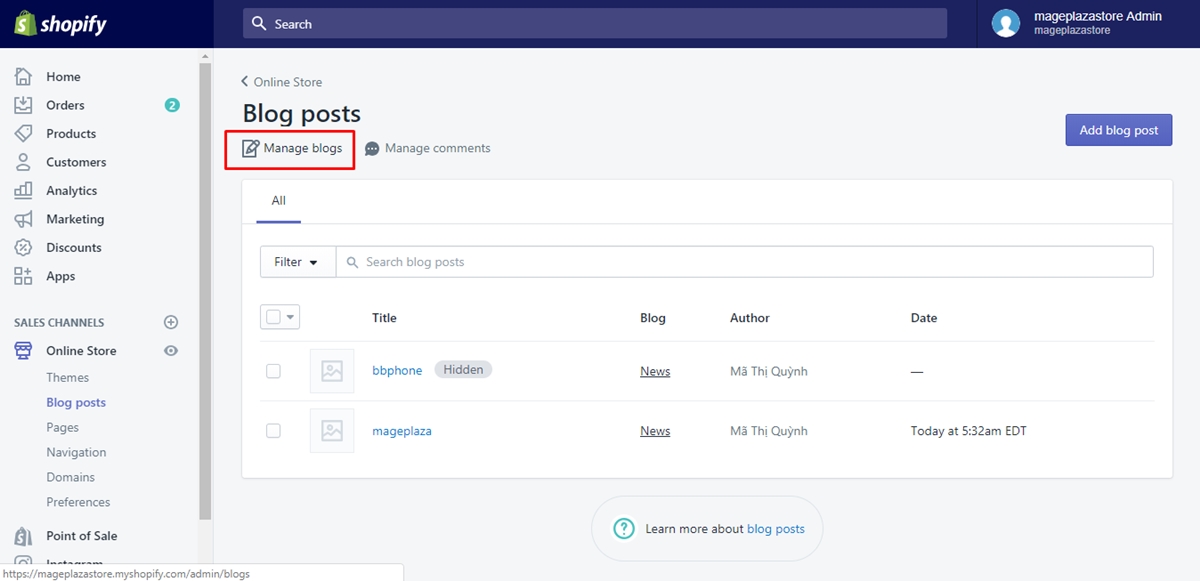
Step 2: Choose Manage blogs.
After that, you can choose Manage blogs.
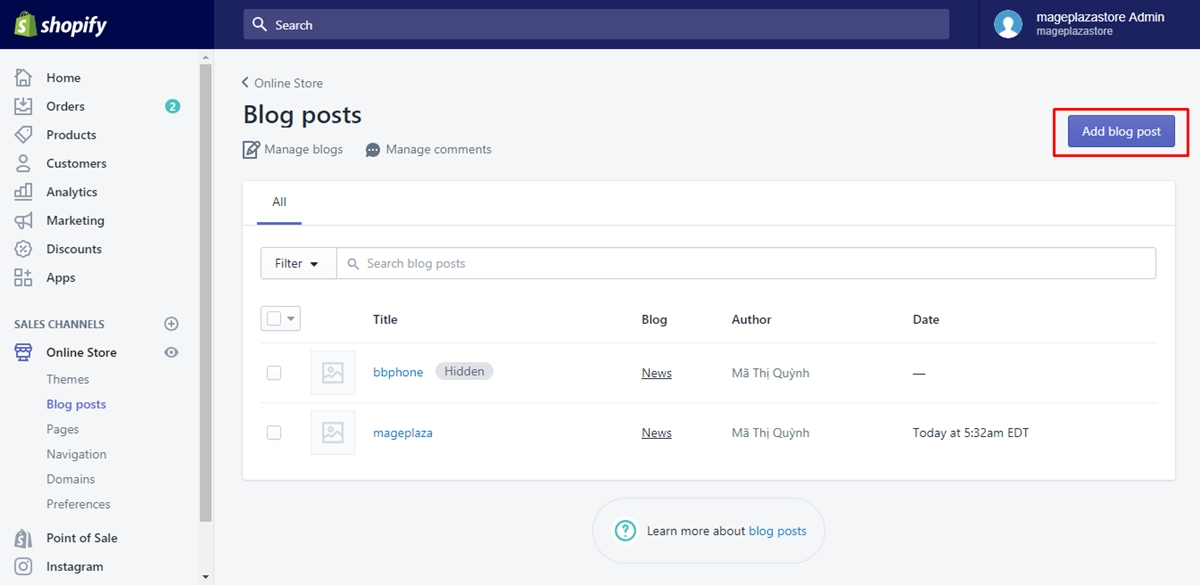
Step 3: Click Add blog.
The, click Add blog to continue.
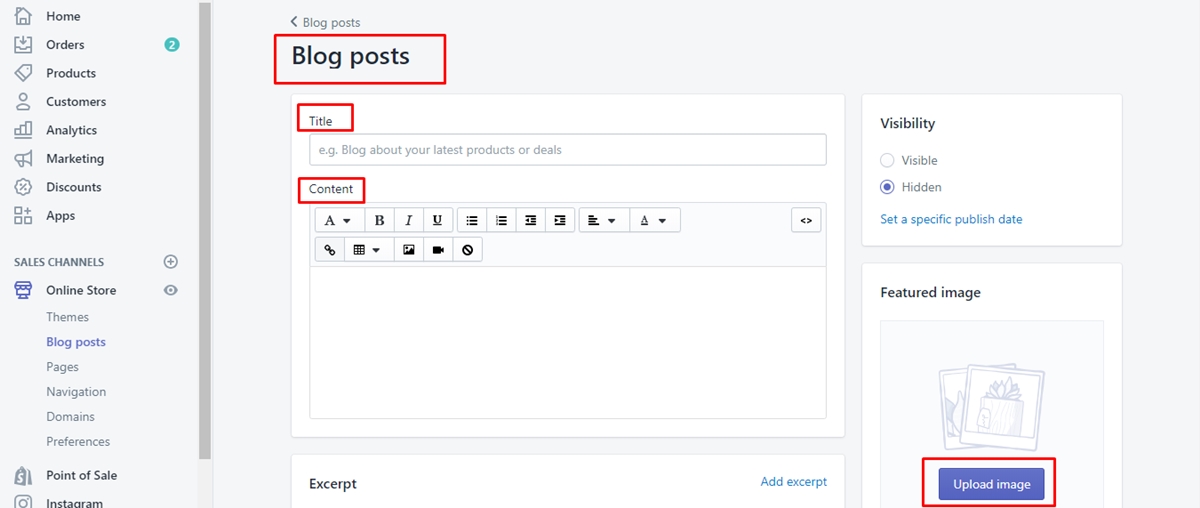
Step 4: Complete your blog.
In this step, you have to complete your blog, including giving it a title and content and select how you manage your blog’s comments.
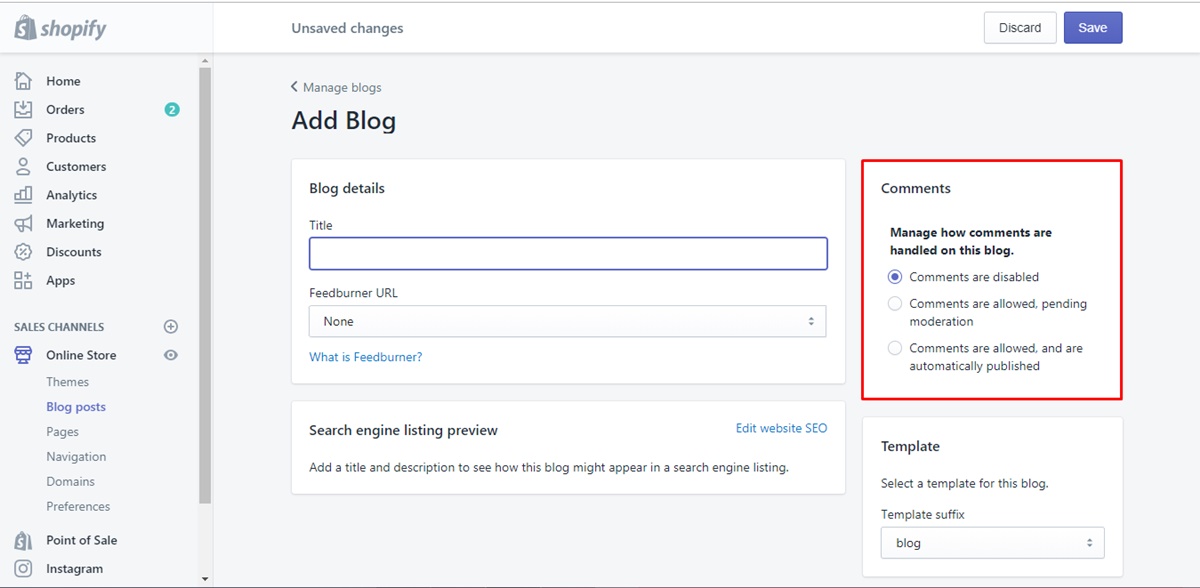
Step 5: Press Save.
Last but not least, save your created blog by clicking Save.
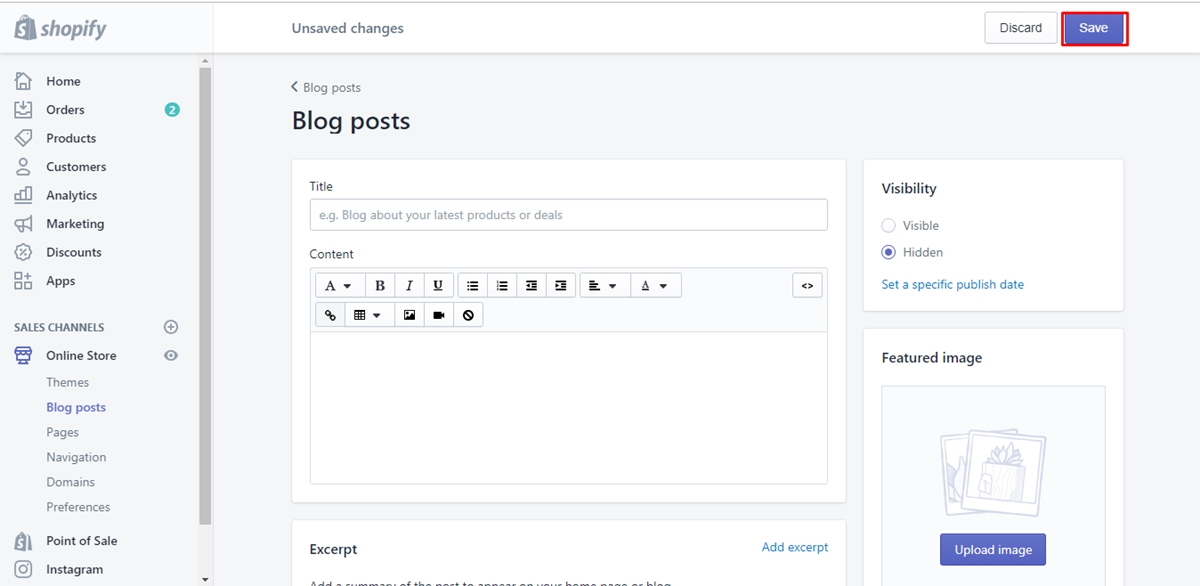
Conclusion
As you can see, we hope that, with the above steps on how to add a blog on Shopify, you can add blogs to your online store without having any difficulties. Setting up blogs on Shopify store is considered helpful to in converting the visitors into the customers. I hope you enjoy this post, if you want more, check out our Shopify tutorials.
About Us

AVADA Commerce Pte. Ltd. is an e-commerce solution provider headquater based in Singapore, Sales and development team in the USA and Vietnam where the best developers unite. Founded in 2014, AVADA is responsible to complete the mission to help 1 million online businesses grow revenues.
🏠 Address:
SIN: 1 Sophia rd, Peace Centre, Singapore, 228149
USA: 651 N Broad St, Suite 206, Middletown, DE 19709
VIE: 125 Tran Phu, Ha Dong, Ha Noi
📱Phone: (+84)24 6687 1163
📩 Email: anhnt@mageplaza.com
🌐 Website: https://avada.io/
#avada #shopify #emailmarketing #affiliate


Nhận xét
Đăng nhận xét