How to Allow or Disable Comments on a Blog on Shopify
When doing online business, you would like to create your own blog to get closer to the customers. When you have a blog, you have to manage it, that means you’ll need to know how to do things like allowing or disabling comments. If a new blog is created, its comments are all disabled by default. You can change it with these three options in the comment settings: disable your comments, allow comments with pending moderation, and allow comments with automatically publish.
The following steps will tell you How to allow or disable comments on a blog on Desktop, iPhone, and Android.
Step 1: Go to Blog Posts
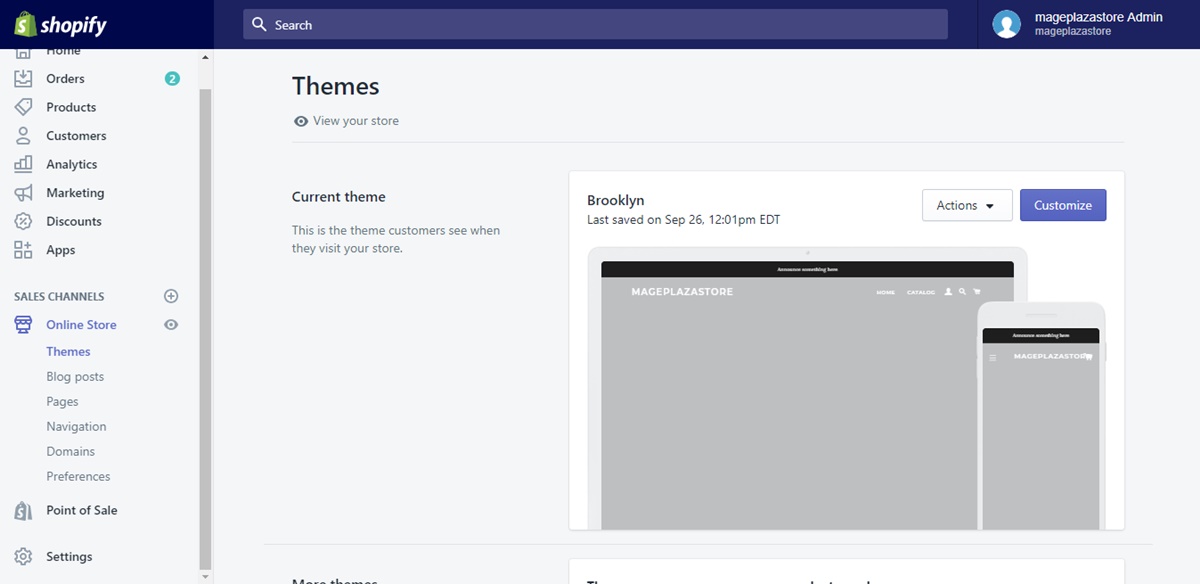
After logging in to your Shopify admin, click to choose Online Store under the Sale channels section in the column of your left. Choose Blog Posts under Sale channels for blog management.
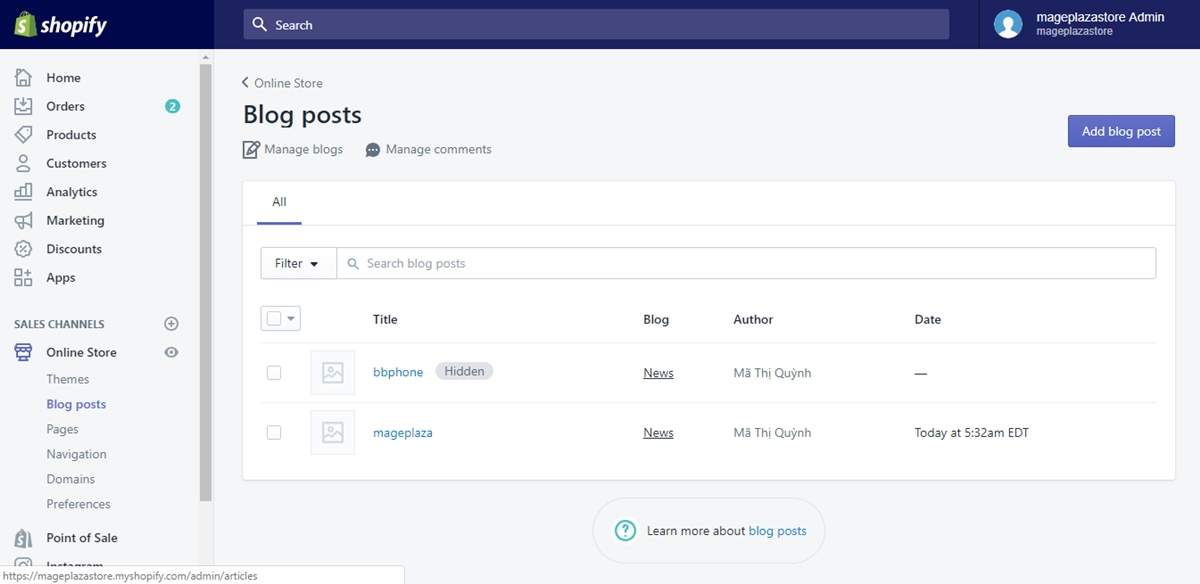
Step 2: Click Manage Comments Upon directed to the Blog Posts page, you will see the Manage blogs and Manage comments option right under the Blog Posts line. Click on Manage comments for more comments managing options.
Step 3: Choose Blog The Manage comments page shows you the blogs you can edit. Click on the title of the blog that you want to edit for further information.
Step 4: Comments managing In the blog’s details page, scroll down till the Comments section appear. Select the option that you want in the three options. When you are done, click Save and your action is finished.
Conclusion Above are some steps I prepared for you to tell you How to allow or disable comments on a blog on Shopify. I hope you will find these information helpful, and if you want more, check out our Shopify tutorials.
About Us

AVADA Commerce Pte. Ltd. is an e-commerce solution provider headquater based in Singapore, Sales and development team in the USA and Vietnam where the best developers unite. Founded in 2014, AVADA is responsible to complete the mission to help 1 million online businesses grow revenues.
🏠 Address:
SIN: 1 Sophia rd, Peace Centre, Singapore, 228149
USA: 651 N Broad St, Suite 206, Middletown, DE 19709
VIE: 125 Tran Phu, Ha Dong, Ha Noi
📱Phone: (+84)24 6687 1163
📩 Email: anhnt@mageplaza.com
🌐 Website: https://avada.io/


Nhận xét
Đăng nhận xét