How to Create a New Blog Template on Shopify
Creating a new blog template allows a merchant to customize the layout of the posts existing on their blog. This will help to create a unique style for your blog and attract more visitor to visit your blog and then, to your online store. Creating a customized blog template is not as easy as you imagine, it requires your understanding of coding.
However, because of the fact that you can take lots of advantages of a customized blog template, learning how to create a new blog template and edit blog post on Shopify is necessary. Hence, today, you will be shown how to create a new blog template with just some simple steps.
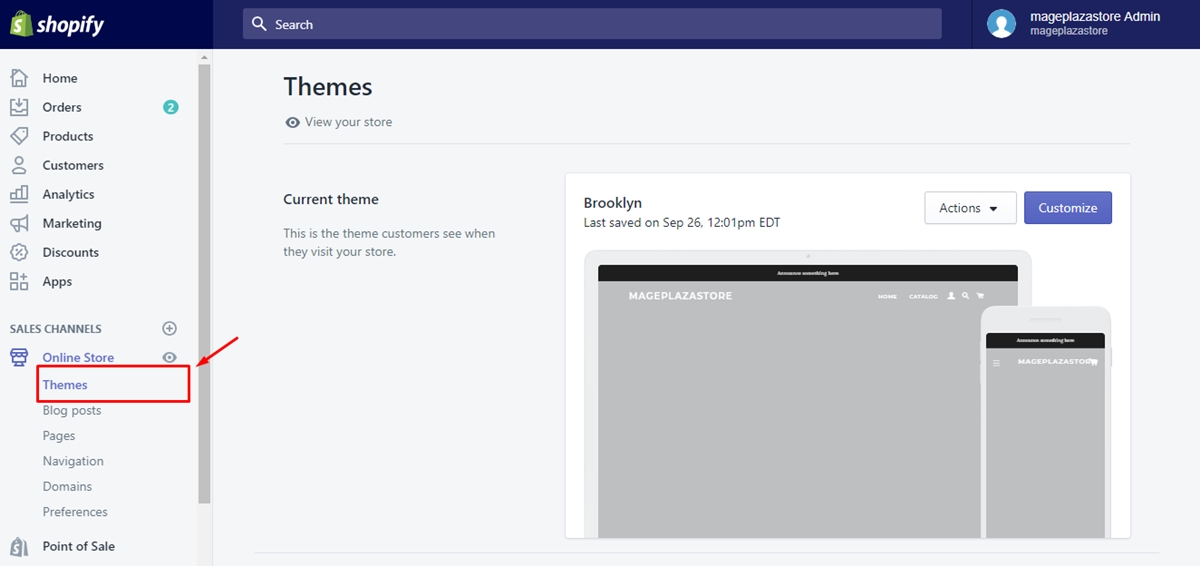
Step 1: Go to Online Store then choose Themes
First and foremost, you go to your Shopify admin, from there, go to Online Store. In Online Store section and then Themes.
Step 2: Click Action and then Edit code
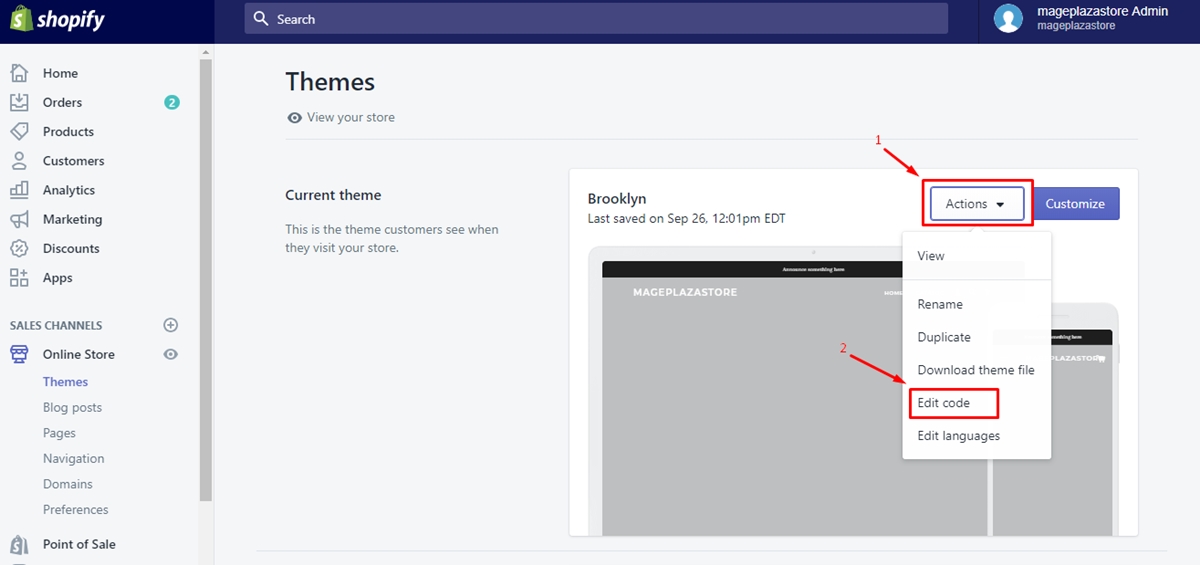
Next, in Themes you will see a list of themes existing in your online store. Find the theme that you want to edit. Then you click on Actions and choose Edit code for the next step.
Step 3: Click Add a new template
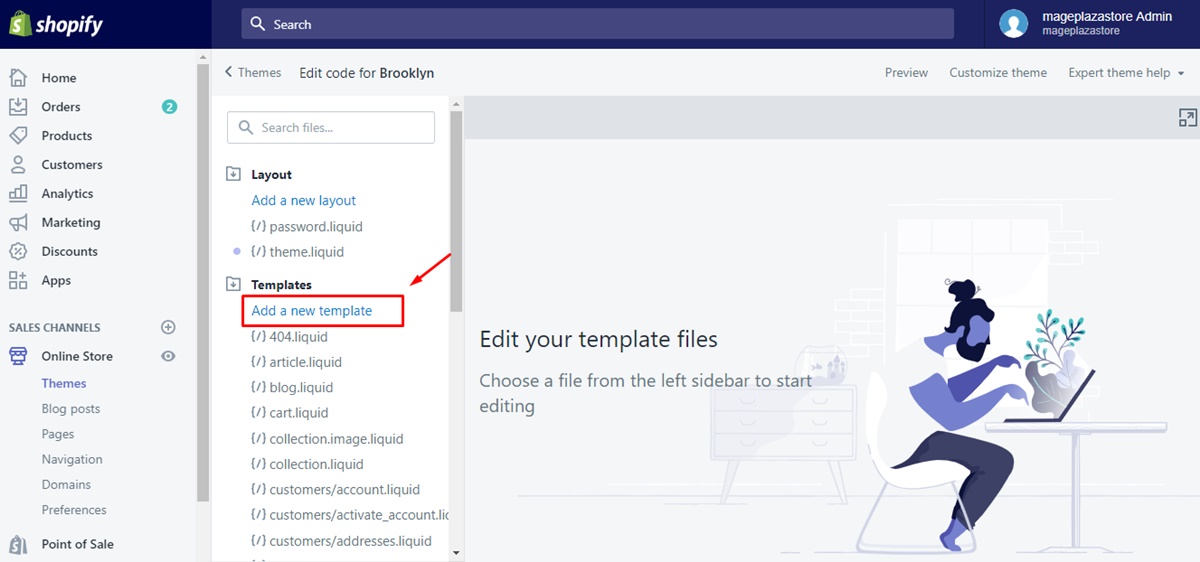
On Edit code interface, you find the folder called Template then click Add a new template right under that folder.
Step 4: Select an article option and your template’s name
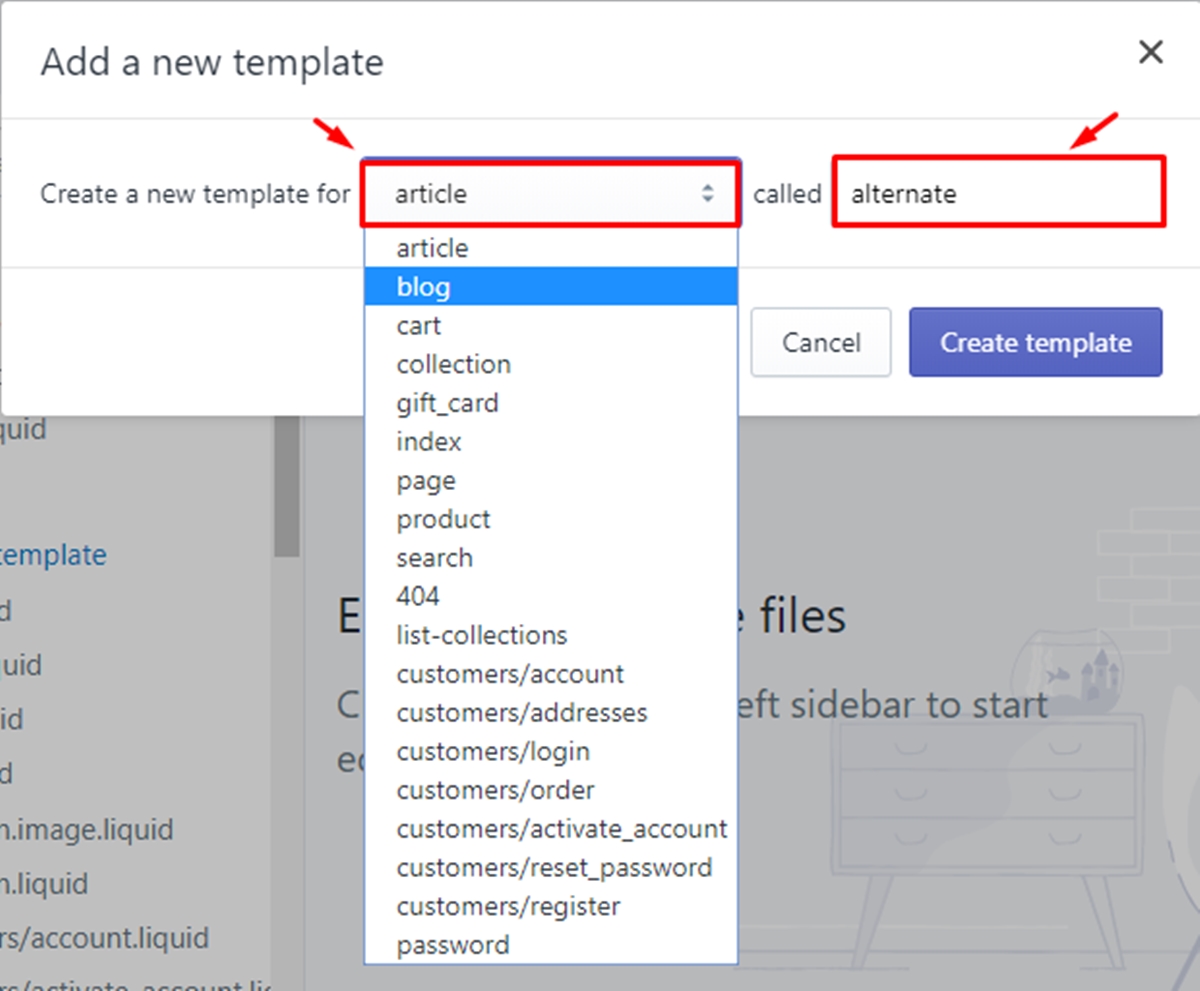
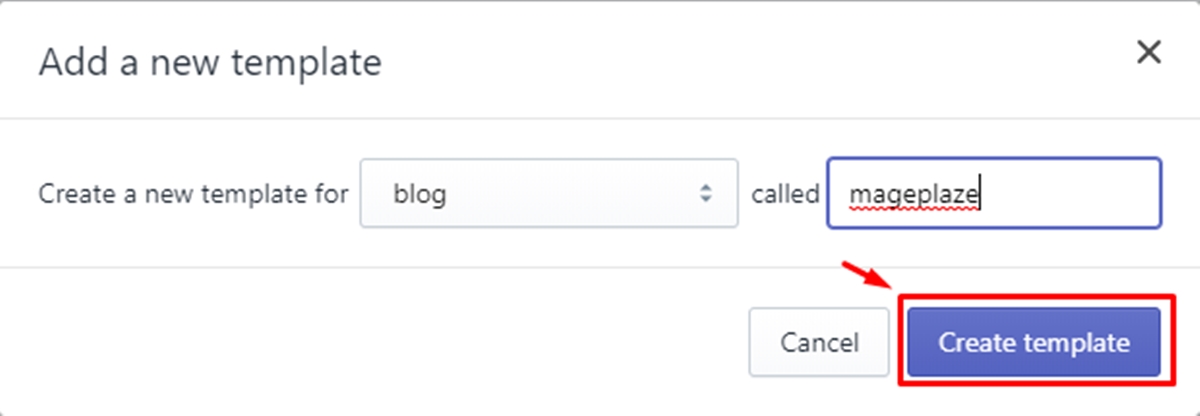
After clicking on Add a new template, a dialog will appear to ask you to select the article option in the drop-down menu as well as the name of your template.
Step 5: Click Create template
To continue, you click Create template button
Step 6: Make your changes to the template
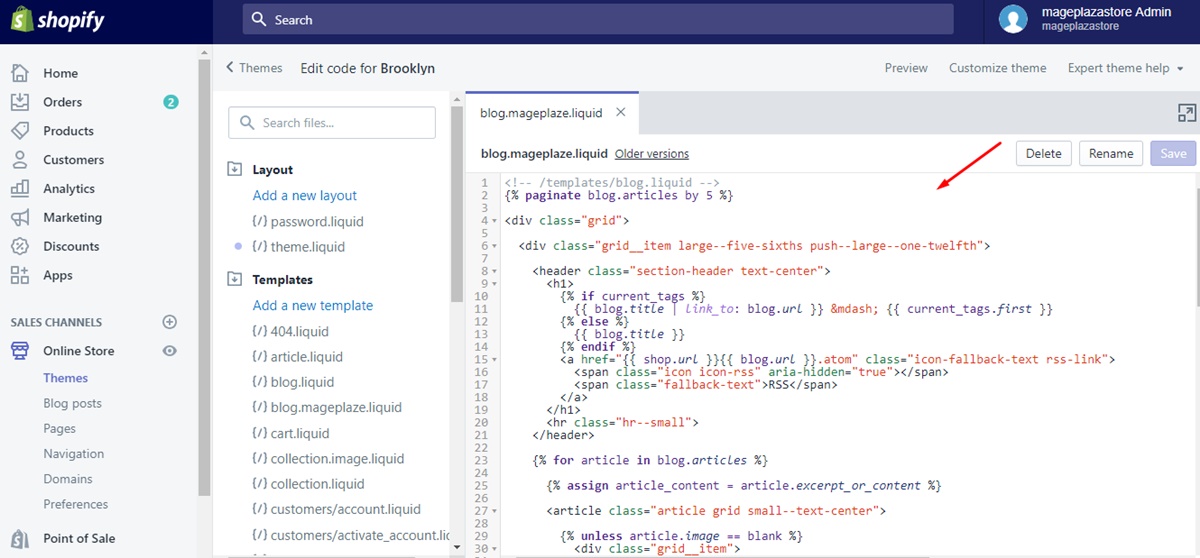
Now, it’s up to the style of the blog post you want to customize that you can adjust the template in the online code editor.
Step 7: Click Save
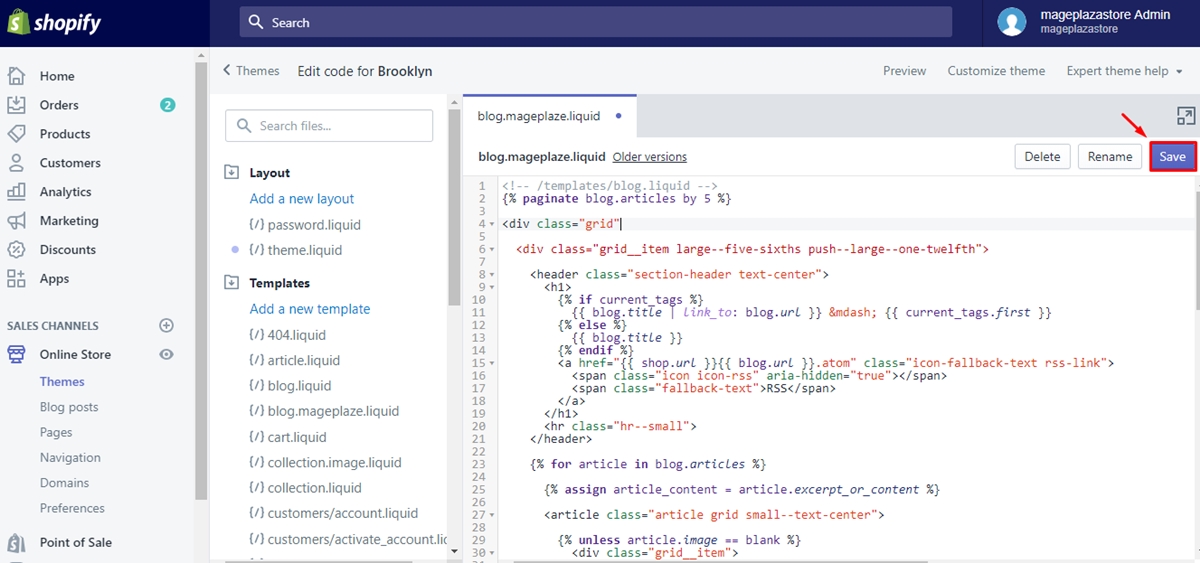
Finally, click Save when you finish editing code.
Conclusion Briefly, by following simple steps mentioned above, a merchant can create a new blog template without any difficulties. We hope that this instruction will be useful to give you a hand in increasing the number of visitors to your online store and help you sell more online.
About Us

AVADA Commerce Pte. Ltd. is an e-commerce solution provider headquater based in Singapore, Sales and development team in the USA and Vietnam where the best developers unite. Founded in 2014, AVADA is responsible to complete the mission to help 1 million online businesses grow revenues.
🏠 Address:
SIN: 1 Sophia rd, Peace Centre, Singapore, 228149
USA: 651 N Broad St, Suite 206, Middletown, DE 19709
VIE: 125 Tran Phu, Ha Dong, Ha Noi
📱Phone: (+84)24 6687 1163
📩 Email: anhnt@mageplaza.com
🌐 Website: https://avada.io/
#avada #shopify #emailmarketing #affiliate


Nhận xét
Đăng nhận xét