How to Edit the Search Engine Listing for a Blog on Shopify
The text that can appear in the search engine results for your blog can be edited. You can use the descriptive title to help the visitors find the online store and persuade them to click on the link. In this article, you will be shown how to edit the search engine listing for a blog on Shopify on Desktop, iPhone, and Android.
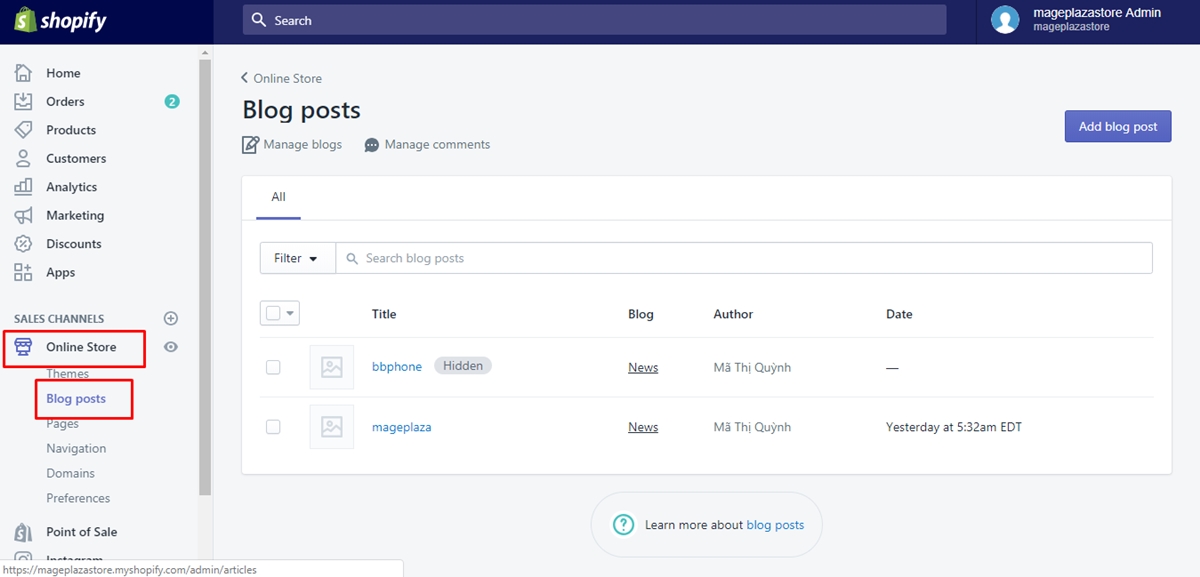
Step 1: Select Blog Posts
After logging in your Shopify admin, you can select Online Store > Blog Posts from the Shopify admin.
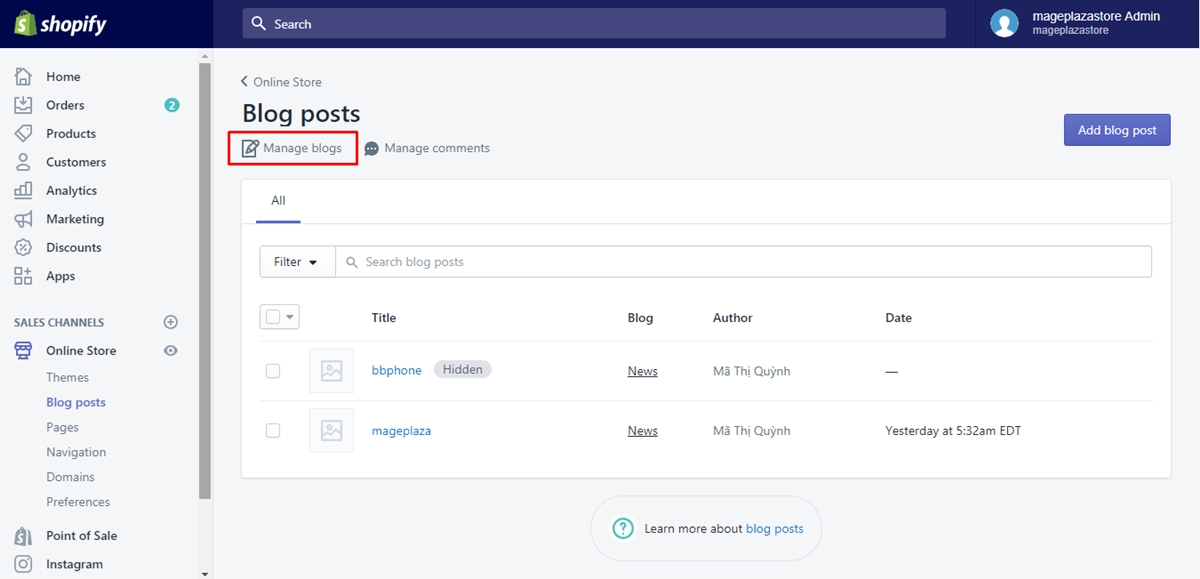
Step 2: Choose Manage blogs.
Next, you can choose Manage blogs.
Step 3: Click the blog name you want to edit.
In this step, you can click the blog name you want to edit.
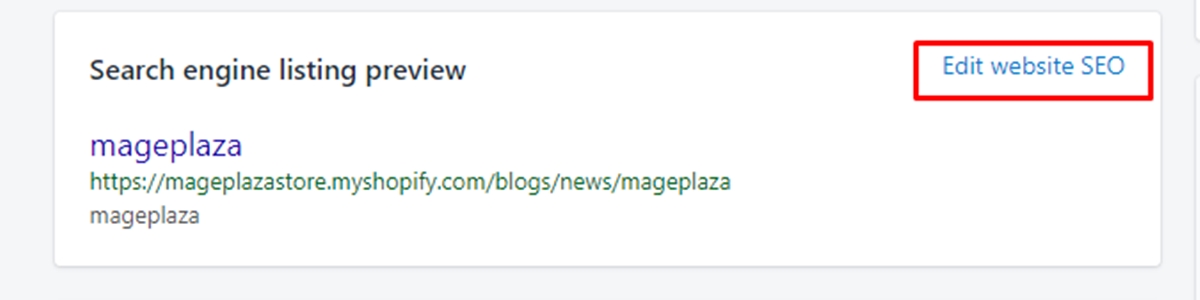
Step 4: Opt for Edit website SEO
Then, from the Search engine listing preview, you can opt for Edit website SEO.
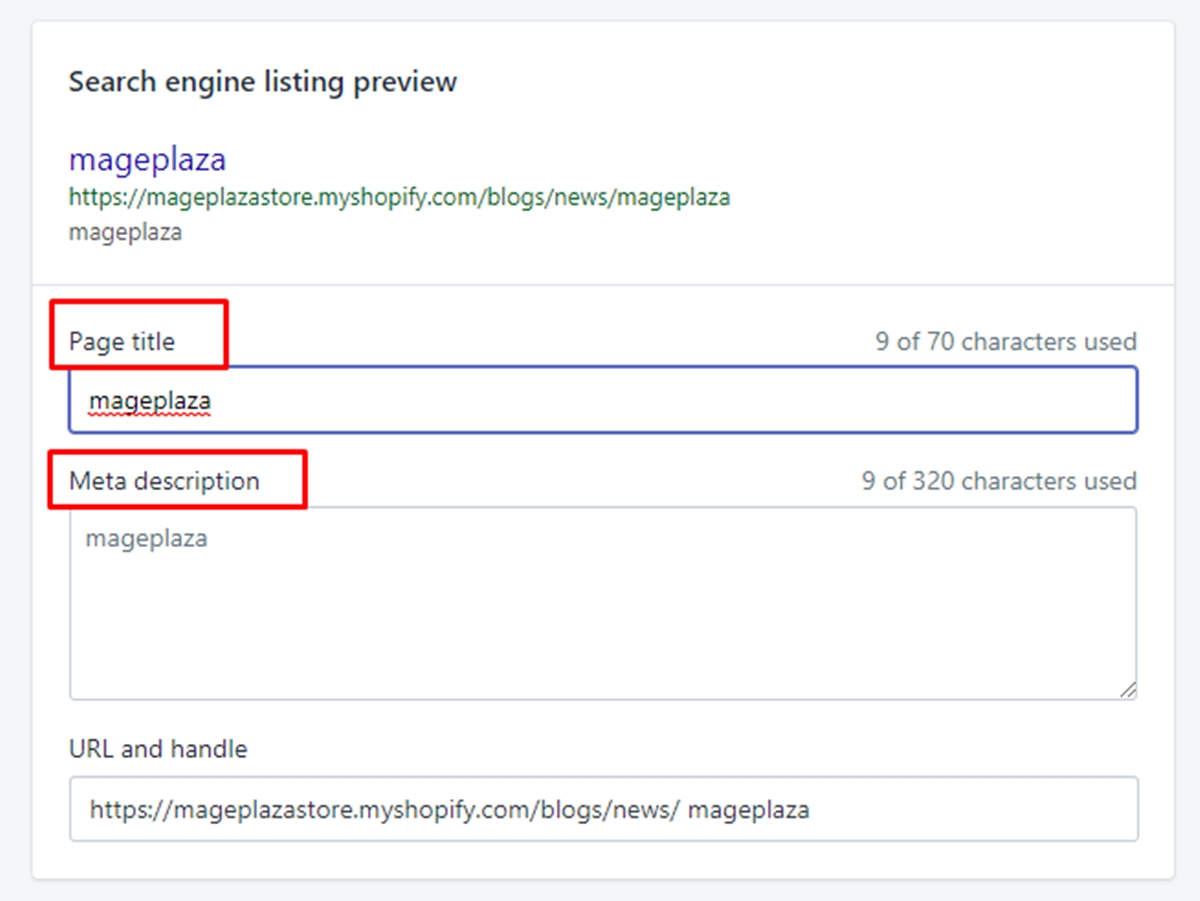
Step 5: Type the descriptive title.
Type the descriptive title from the Page title section. You can type up to 70 characters from the title. It can be displayed like a link in the search engine result.
Step 6: Type the description for search engine listing.
Type the description for search engine listing. You need to ensure that you add relevant keywords so that the new visitors and customers can easily find you and add your name of the business. You are allowed to type up to 320 characters into the description.
Step 7: Edit your web address.
You can edit the web address. In fact, you do not need to change the web address in most situations. If you want to change the web address, you need to make sure that the URL redirects from your previous web dress.
Step 8: Go to Save.
Go to Save to complete your work.
Conclusion
As you can see, these steps on how to edit the search engine listing for a blog are not too complicated for you to perform. Don’t forget to spread this article out if you think it is helpful to read, and check out our Shopify tutorials if you want more helpful information.
About Us

AVADA Commerce Pte. Ltd. is an e-commerce solution provider headquater based in Singapore, Sales and development team in the USA and Vietnam where the best developers unite. Founded in 2014, AVADA is responsible to complete the mission to help 1 million online businesses grow revenues.
🏠 Address:
SIN: 1 Sophia rd, Peace Centre, Singapore, 228149
USA: 651 N Broad St, Suite 206, Middletown, DE 19709
VIE: 125 Tran Phu, Ha Dong, Ha Noi
📱Phone: (+84)24 6687 1163
📩 Email: anhnt@mageplaza.com
🌐 Website: https://avada.io/


Nhận xét
Đăng nhận xét