How to Remove an Online Sales Channel on Shopify
Sometimes, managing lots of different online sales channels might lead the merchant to be confused. Or in some circumstances, there are some products that you don’t want to sell on a particular online channel, then you have to know how to remove an online sales channel from your Shopify admin.
Therefore, below are things that we have prepared to help you get started.
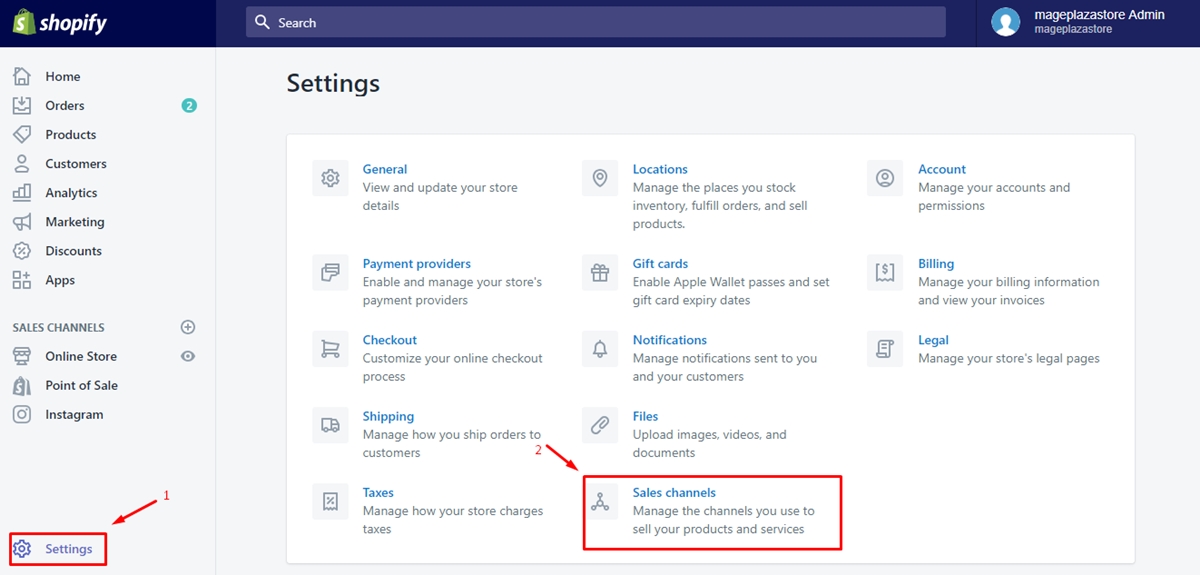
Step 1: Select Sales channels
First and foremost, go to your Shopify admin, then click on Settings heading. From Settings heading, select Sales channels
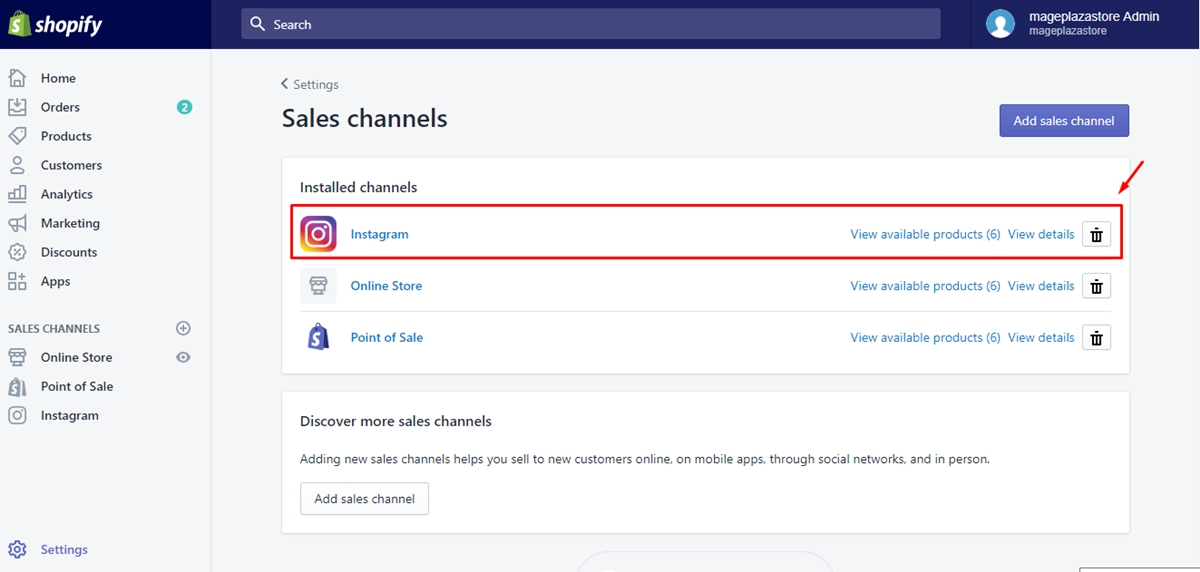
Step 2: Click the trash can beside the name of the sales channel
From Sale channels, you will see a list of the existing online sales channels in your Shopify admin. Remove the sales channel by clicking on the trash can symbol beside that channel.
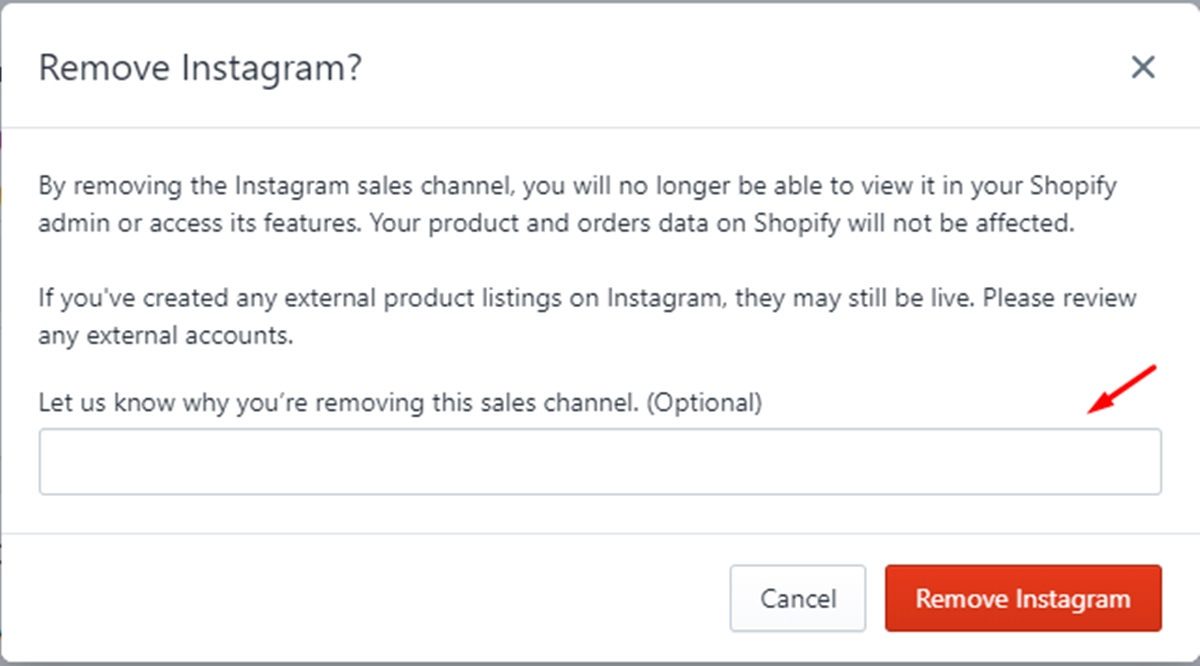
Step 3: Enter the reason for removing the channel
After clicking on the trash can symbol beside the sales channel, a dialog will appear to ask if you want to remove that channel. If you want to remove it with a reason, then enter the reason into the field below, if you don’t, just skip.
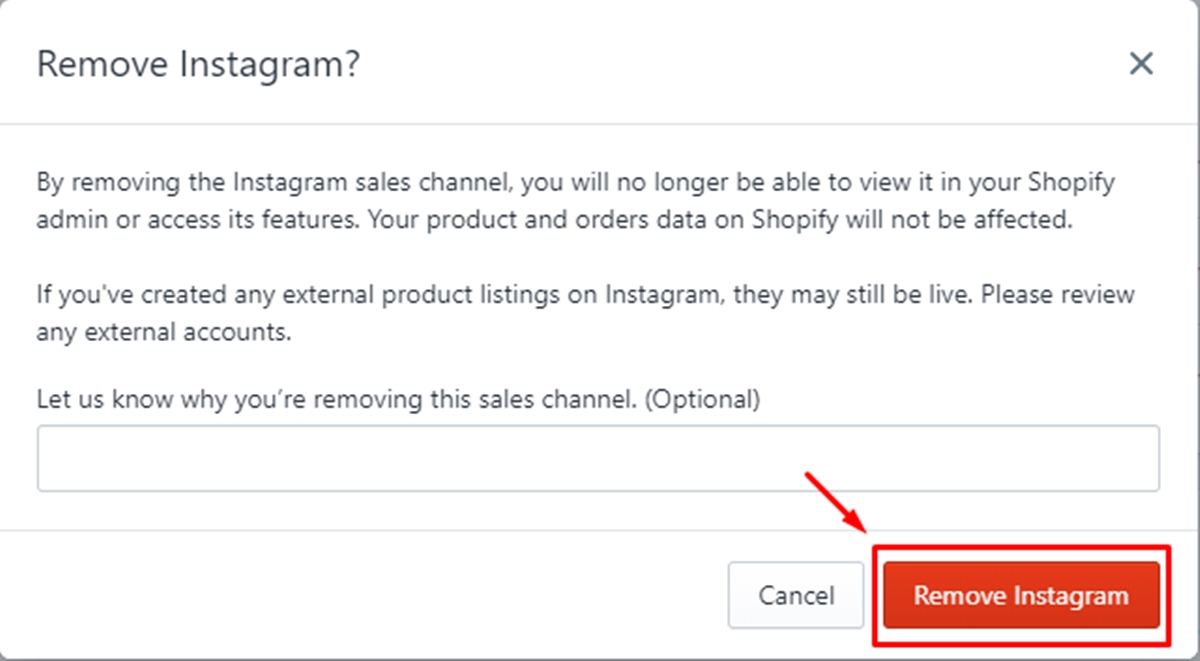
Step 4: Click Remove
To finish the process, click Remove to confirm.
Conclusion
To summarize, it’s very easy for a merchant to remove an online sales channel on Shopify with some simple steps mentioned above. We hope that you will find our writing helpful or at least have a good time reading. If you have more questions about online sales channels, don’t hesitate to let us know.
About Us

AVADA Commerce Pte. Ltd. is an e-commerce solution provider headquater based in Singapore, Sales and development team in the USA and Vietnam where the best developers unite. Founded in 2014, AVADA is responsible to complete the mission to help 1 million online businesses grow revenues.
🏠 Address:
SIN: 1 Sophia rd, Peace Centre, Singapore, 228149
USA: 651 N Broad St, Suite 206, Middletown, DE 19709
VIE: 125 Tran Phu, Ha Dong, Ha Noi
📱Phone: (+84)24 6687 1163
📩 Email: anhnt@mageplaza.com
🌐 Website: https://avada.io/
#avada #shopify #emailmarketing #affiliate


Nhận xét
Đăng nhận xét